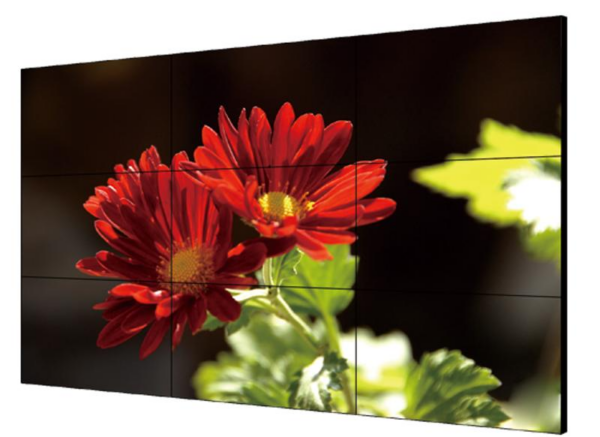
When setting up a new display for work, gaming, or home entertainment, you might wonder whether a monitor or a TV would be the best option. Though monitors and TVs have some overlap, they are designed with distinct features and purposes in mind. Here’s a closer look at how they differ, their advantages and disadvantages, and tips for choosing the right one for your needs.
1. Resolution and Picture Quality
- Monitor:
Monitors generally have higher pixel density and are often optimized for closer viewing distances, making text and details sharper than on TVs. Many monitors support high resolutions (1080p, 1440p, 4K) and are available in sizes from 19 to 32 inches, though some ultra-wide and gaming monitors are even larger. Higher-end monitors also support better color accuracy and higher refresh rates, appealing to gamers, designers, and professionals. - TV:
TVs are optimized for viewing from a distance and come in larger sizes, typically starting around 32 inches and going up to 85 inches or more. TVs are also available in resolutions from 1080p up to 4K and even 8K. Many newer TVs feature HDR (High Dynamic Range) for enhanced color and contrast, making them great for movies and shows. However, TVs generally have a lower pixel density than monitors, which can make details appear less sharp at close range.
2. Refresh Rate and Response Time
- Monitor:
Many monitors have high refresh rates, such as 120Hz, 144Hz, or even 240Hz, and low response times, which reduces motion blur and makes them ideal for fast-paced gaming. The lower response times (1ms to 5ms) reduce ghosting and are crucial for competitive gaming, where every millisecond counts. - TV:
TVs typically have refresh rates between 60Hz and 120Hz, though some high-end models offer variable refresh rates (VRR) and motion-smoothing features. While great for movies and standard video, the slower response time (usually around 8-12ms or more) and potential input lag make TVs less ideal for competitive gaming. However, they’re fine for casual console gaming and streaming.
3. Color Accuracy and Viewing Angle
- Monitor:
Monitors, especially IPS panels, are known for high color accuracy and wide viewing angles. They’re popular in creative industries where color precision matters, like photo editing, graphic design, and video production. Monitors with calibrated color spaces (like sRGB, Adobe RGB) provide more consistent color performance. - TV:
TVs, especially LED and OLED models, have impressive brightness and contrast, with OLED TVs offering perfect blacks and very high contrast ratios. However, color accuracy can vary depending on the brand and type of panel, and may not be as precise as professional monitors.
4. Smart Features and Connectivity
- Monitor:
Monitors often come with basic ports like HDMI, DisplayPort, and USB-C but generally lack smart features. They are straightforward devices designed to display content from a connected PC or console. - TV:
Modern TVs frequently include smart features with built-in apps for streaming services (Netflix, Hulu, YouTube, etc.) and internet connectivity, making them versatile for entertainment purposes. They typically have multiple HDMI ports, optical audio, and sometimes ARC/eARC support for home theater setups.
5. Usage Scenarios: Which to Choose?
- For Work and Productivity:
Monitors are generally better for close-up work due to their sharpness, color accuracy, and compact size. If you’re working with text, spreadsheets, or design software, a monitor will likely provide a clearer and more comfortable experience. - For Gaming:
PC Gaming: Monitors are ideal, especially those with high refresh rates and low response times.
Console Gaming: TVs are suitable, particularly for casual gaming. However, for competitive console gaming, a gaming monitor with HDMI 2.1 support might offer better performance. - For Streaming and Movies:
TVs excel here due to their larger screen size, better HDR support, and smart features. A TV can transform a room into a theater-like experience, ideal for watching movies, shows, and live sports.
Summary Table:
| Feature | Monitor | TV |
|---|---|---|
| Resolution | High pixel density, optimized for close-up | Lower pixel density, large screen sizes |
| Refresh Rate | Up to 240Hz, low response time | 60-120Hz, higher response time |
| Color Accuracy | Great, especially IPS panels | Good, especially OLED and QLED |
| Smart Features | Limited | Smart TV apps, streaming capabilities |
| Best For | Work, professional use, PC gaming | Streaming, casual gaming, movies |
Conclusion
When choosing between a monitor and a TV, consider your primary use. Monitors are best for close-up work, gaming with low input lag, and professional color work. TVs are better suited for entertainment, streaming, and immersive viewing experiences. Each has its strengths, so picking the right one depends on your needs for viewing quality, usage distance, and specific features like refresh rate or smart functionality.