Catalogue
- Understanding the Terminology: IPS vs LED Explained
- IPS Monitor: Strengths and Weaknesses
- LED-Backlit Non-IPS Panels: TN and VA Options
- Side-by-Side Comparison Table
- Which Should You Choose? Decision Guide
- Frequently Asked Questions (FAQ)
- Conclusion and Final Recommendations
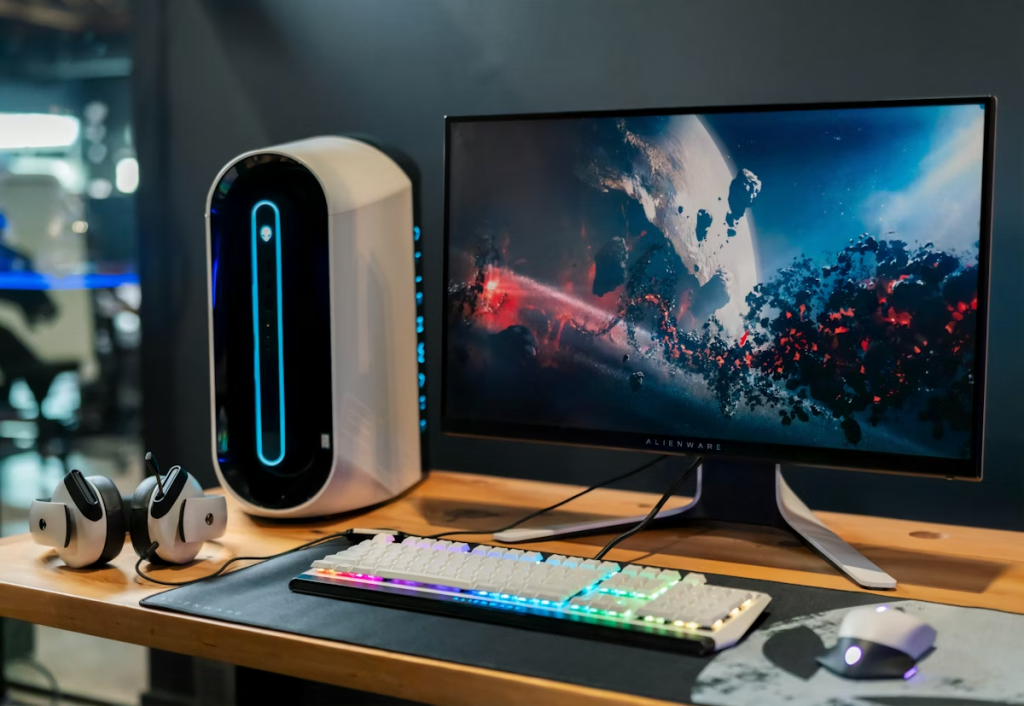
A modern multi-monitor setup showing different display technologies
Understanding the Terminology: IPS vs LED Explained
When shopping for a new monitor, you’ll often come across terms like “IPS” and “LED”—but what do they actually mean? Are they competing technologies? And which one is better for your needs? In this guide, we break down the differences between IPS monitors and LED displays, comparing image quality, performance, use cases, and value to help you choose the perfect screen.
First, it’s important to clarify a common point of confusion: IPS and LED refer to different aspects of display technology.
- IPS (In-Plane Switching) is a type of LCD panel technology that determines viewing angles, color accuracy, and image consistency.
- LED (Light Emitting Diode) refers to the backlighting method used in LCD monitors (including IPS panels) to illuminate the screen. LED backlighting replaced older CCFL backlighting due to its energy efficiency and slim profile.
So, when we compare “IPS vs LED,” we’re typically comparing IPS LCD monitors (which use LED backlights) versus non-IPS LCD monitors (like TN or VA panels, which also use LED backlights). For clarity, this article will compare IPS panels to other common LED-backlit panel types.

Diagram showing IPS panel technology with wide viewing angles
IPS Monitor: Strengths and Weaknesses
Pros:
- Superior Color Accuracy & Consistency: IPS panels deliver true-to-life colors, making them ideal for photo/video editing, graphic design, and professional creative work.
- Wide Viewing Angles: Colors and contrast remain consistent even when viewing from sharp angles (up to 178 degrees).
- Excellent Image Quality: High clarity and detail, with strong performance in brightness and color gamut (many IPS screens cover 100% sRGB or even DCI-P3).
Cons:
- Higher Cost: IPS monitors are generally more expensive than TN or VA panels.
- Slower Response Times: While improved, some IPS panels may have slightly higher response times than TN panels—though gaming-oriented IPS displays often mitigate this.
- Potential for Backlight Bleed: A minor issue where light leaks from the edges, noticeable in dark rooms.

Graphic designer using an IPS monitor for color-critical work
LED-Backlit Non-IPS Panels: TN and VA Options
TN (Twisted Nematic) Panels
Competitive gamer using a TN panel monitor for fast response time
- Pros: Fast response times (1ms), high refresh rates (up to 360Hz), low cost. Preferred for competitive gaming.
- Cons: Poor viewing angles, weaker color reproduction, limited contrast ratios.
VA (Vertical Alignment) Panels

Home entertainment setup featuring a VA panel monitor
- Pros: High contrast ratios (3000:1 or higher, delivering deep blacks), good color depth, affordable pricing. Great for media consumption.
- Cons: Slower response times can cause motion blur in fast-moving scenes, weaker viewing angles than IPS.
Side-by-Side Comparison
| Feature | IPS Panel (LED-backlit) | TN Panel (LED-backlit) | VA Panel (LED-backlit) |
|---|---|---|---|
| Viewing Angles | Excellent (178°/178°) | Poor | Good |
| Color Accuracy | Excellent | Fair | Very Good |
| Response Time | Good (1-5ms) | Excellent (1ms) | Fair (4-8ms) |
| Contrast Ratio | Good (1000:1) | Fair (800:1) | Excellent (3000:1+) |
| Refresh Rate | Up to 240Hz | Up to 360Hz | Up to 240Hz |
| Price Range | Mid to High | Low to Mid | Mid |
| Best For | Creative work, office use, general gaming | Competitive gaming, budget builds | Movies, console gaming, general use |
Which Should You Choose? Decision Guide
Choose an IPS Monitor If:
- You’re a designer, photographer, or video editor needing color precision.
- You share your screen with others or view it from angles.
- You want a versatile display for both work and entertainment.
- You’re a casual or immersive gamer who values visual quality over ultra-fast response.
Choose a Non-IPS LED Monitor (TN) If:
- You’re a competitive esports player needing the fastest response and highest refresh rates.
- You’re on a tight budget.
- You use the monitor primarily for office tasks or gaming where color accuracy isn’t critical.
Choose a Non-IPS LED Monitor (VA) If:
- You watch lots of movies or play story-driven games and want deep blacks.
- You want better contrast than IPS without the high price.
- You don’t mind slightly slower pixel response.
Frequently Asked Questions
Q1: Is IPS better than LED?
A: This is a common misconception. IPS refers to the panel technology, while LED refers to the backlighting. All modern IPS monitors use LED backlights. The proper comparison is IPS vs TN vs VA panels.
Q2: Which lasts longer: IPS or LED monitors?
A: Since IPS panels use LED backlights, their lifespan is similar. Most quality monitors last 30,000 to 60,000 hours (about 10-20 years of normal use). IPS panels don’t suffer from image burn-in like OLED, making them durable for static content.
Q3: Are IPS monitors good for gaming?
A: Yes, modern IPS panels have improved significantly. Gaming IPS monitors now offer 1ms response times, high refresh rates (up to 240Hz), and Adaptive Sync (G-Sync/FreeSync) support. They’re excellent for immersive, visually rich games.
Q4: Can I use an IPS monitor for photo editing?
A: Absolutely! IPS monitors are preferred by professionals for photo editing due to their superior color accuracy, consistency across the screen, and wide viewing angles.
Q5: Why are IPS monitors more expensive?
A: IPS panels cost more to manufacture due to their complex structure with additional transistors and two polarization filters. They also offer better viewing angles and color accuracy, which adds to their value.
Q6: What about OLED vs IPS?
A: OLED is a different technology entirely—each pixel emits its own light. OLED offers perfect blacks and superior contrast but risks burn-in with static content and is generally more expensive. IPS remains popular for its balance of quality, durability, and price.
Q7: How can I tell if my monitor is IPS?
A: Look at the screen from a sharp angle. If colors remain consistent and don’t invert or wash out, it’s likely IPS. Also check the specifications—manufacturers always advertise IPS technology when present.
Conclusion and Final Recommendations
The Verdict
There’s no universal “best” choice—it depends on your priorities. For most users, IPS monitors offer the best balance of color, clarity, and viewing experience, justifying their higher cost. However, if you’re a competitive gamer or seeking maximum value, a TN or VA LED-backlit monitor might suit you better.
Our Recommendations:
- For Professionals & Creatives: Invest in a quality IPS monitor with 100% sRGB or Adobe RGB coverage.
- For Competitive Gamers: Choose a high-refresh-rate TN panel for maximum speed.
- For Home Entertainment: Consider a VA panel for its excellent contrast and deep blacks.
- For General/Office Use: A mid-range IPS monitor offers the best all-around experience.
Pro Tip: Always check the panel type (IPS, TN, VA) when buying an “LED monitor,” as LED simply refers to the backlight. Look for trusted brands like Dell, LG, ASUS, and BenQ, and read reviews to see real-world performance.