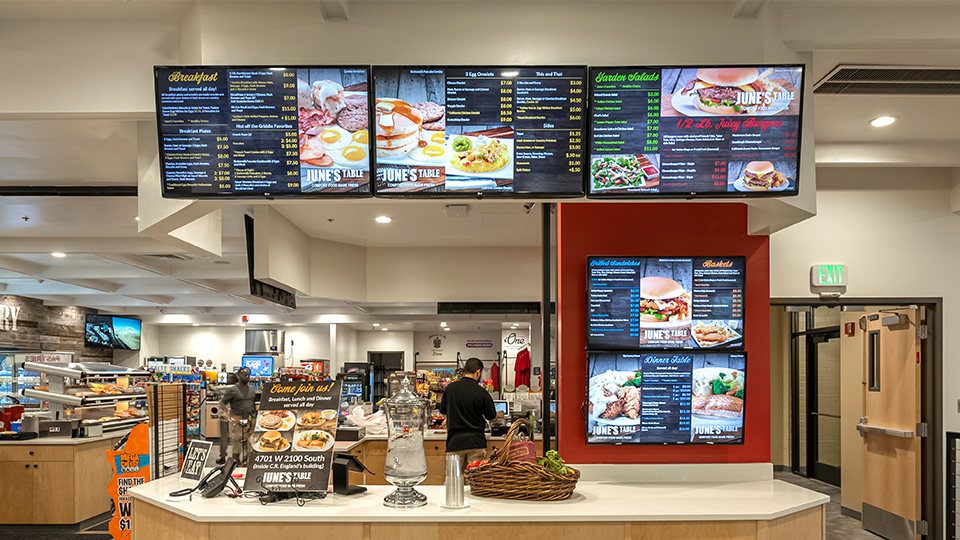
In today’s commercial landscape, wall-mounted lcd signage are prevalent in shopping malls, supermarkets, hotels, hospitals, subway stations, and other public spaces. They serve as efficient and flexible promotional tools, captivating customer attention and conveying information effectively. This guide will help you quickly get started with these valuable devices and maximize the potential of a wall-mounted signage display.
1. Unpacking and Preparation
Upon receiving your wall-mounted digital display, carefully unpack the box and verify that all components are included: the main unit, power adapter, remote control (if applicable), wall bracket, installation screws, and user manual. Ensure that all accessories are intact. Next, prepare the necessary tools based on your installation environment, such as electric drills, screwdrivers, and level rulers. Confirm that the installation surface is flat, solid, and capable of supporting the machine’s weight, which is crucial for safe wall-mounted digital signage.
2. Installing the Wall Bracket
- Measurement and Positioning: Use a level ruler and tape measure to mark the installation position for the wall bracket on the selected wall. Ensure it is symmetrical, at a comfortable height for viewing, and does not obstruct traffic.
- Drilling Installation: Carefully drill holes at the marked positions, avoiding any hidden utilities such as wires or pipes. Insert expansion tubes or anchor bolts into the holes.
- Securing the Bracket: Align the wall bracket with the drilled holes and secure it with screws, ensuring stability and no shaking. This is a crucial step for stable wall-mounted digital signage.
3. Connecting Power and Network
- Power Connection: Connect the power adapter to the power interface on the back of the main unit and plug the other end into a power socket. Ensure the voltage requirements match the adapter specifications.
- Network Settings: Most modern wall-mounted signage display support Wi-Fi or wired connections. For Wi-Fi, access the system settings, select an available network, and enter the password. For wired connections, plug the network cable directly into the machine’s network port.
4. Power On and Basic Settings
- Power On: Press the power button on the side of the machine or on the remote control. Wait a few seconds for the screen to light up and display the system interface.
- Basic Settings: Follow the on-screen prompts to configure basic settings such as language, time, brightness, and volume. Some models allow for screen saver settings and automatic power on/off features, which can be customized based on your needs.
5. Content Playback and Management
- Content Upload: Import advertising content—images, videos, audio, etc.—into the machine using the USB interface, SD card slot, or via network upload (e.g., FTP, cloud platform). Refer to the user manual or contact your supplier for specific instructions.
- Playback Settings: Access the playback settings interface to select your playlist and configure parameters such as playback order, time intervals, and looping. Advanced models may support split-screen playback and dynamic effects for more flexible configurations.
- Remote Management: Some wall-mounted display feature remote management capabilities, allowing users to monitor playback status, upload new content, and adjust settings via a computer or mobile app, significantly enhancing management efficiency and making wall-mounted digital signage more effective.
6. Daily Maintenance and Care
- Cleaning and Maintenance: Regularly clean the machine’s screen with a soft, dry cloth, avoiding chemical cleaners or wet materials that could damage the screen. Keep the surrounding area clean to prevent dust accumulation that may hinder heat dissipation.
- Regular Inspections: Periodically check the power cord, network connections, and other components for looseness to ensure safe operation. Monitor the machine’s performance and contact maintenance personnel if any issues arise.
- Software Upgrades: Stay informed about software updates for the advertising machine to ensure optimal performance and access to new features.
7. Precautions
- Always adhere to safety regulations outlined in the product manual during installation and use to ensure personal safety.
- Avoid placing the advertising machine in extreme environments such as high humidity, excessive heat, or strong magnetic fields, which could affect its performance and lifespan.
- Do not disassemble or modify the machine without professional guidance to avoid damage or safety hazards.
By following these steps, you will master the use of wall-mounted commercial digital signage displays and fully leverage the benefits of wall-mounted digital signage to enhance your business activities. If you have any questions or encounter issues during the purchase or usage process, please don’t hesitate to contact our customer service team for assistance.