The Rise of Live Broadcasting
With the advancement of the digital age, live broadcasting equipment has become an integral part of our daily lives and work. Whether for sharing experiences, online education, or business promotions, live streaming is a powerful communication tool. However, choosing the right equipment can be challenging. Should you opt for an all-in-one live broadcast machine or a traditional PC setup? This article breaks down their pros and cons to help you make an informed decision.

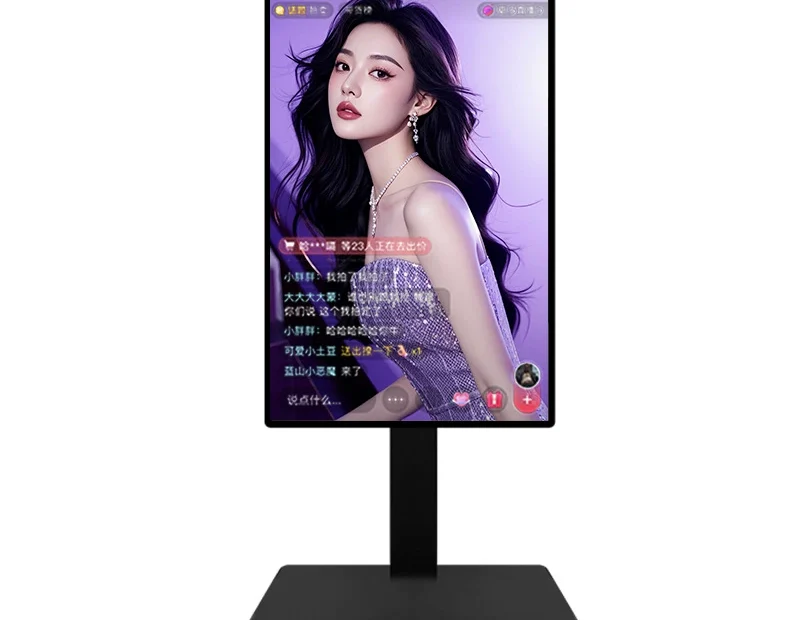
ScreenSculpt All-in-One Live Broadcast Machine: A Comprehensive Solution
The ScreenSculpt all-in-one live broadcast machine integrates multiple essential functions—camera, microphone, encoder, and more—offering numerous advantages for live broadcasters. Here’s what makes it stand out:
- All-in-One Convenience – Combines multiple devices into a single system, eliminating the need for expensive external cameras, microphones, and other live broadcasting equipment required for PC-based live streaming.
- Advanced Green Screen & AI Keying – Built-in professional green screen keying enables seamless background replacement, while AI keying allows portrait separation without a green screen, enhancing production quality.
- Virtual Director Capabilities – Supports multi-screen switching, layering, and dynamic effects, making your live broadcasts more engaging and professional.
- Superior Audio & Video Quality – Equipped with high-quality cameras and microphones to ensure crisp visuals and natural sound.
- Multi-Platform Streaming – Simultaneously broadcasts across multiple platforms, expanding audience reach and boosting engagement.
- User-Friendly Interface – Intuitive operation with one-click controls, allowing you to focus on content creation rather than complex settings.
PC Live Broadcast: The Traditional Choice
Unlike an all-in-one machine, PC-based live broadcasting requires additional external equipment and setup. Here are its key characteristics:
- Complex Setup – Requires a powerful computer, high-resolution camera, microphone, and lighting equipment, leading to higher costs and longer setup times.
- Higher Investment – Professional-grade PC live streaming setups can be expensive, making it less accessible for individual creators and small businesses.
- Device Connectivity Challenges – Managing multiple devices and live broadcasting equipment configurations can be overwhelming for beginners, especially those without technical expertise.
- Steeper Learning Curve – PC-based streaming software often requires time and practice to master, potentially slowing down the broadcasting process.
Which One Should You Choose?
Your choice depends on your needs and technical expertise:
- For beginners, individual creators, or small businesses, an all-in-one live broadcast machine is ideal. It reduces costs, simplifies setup, and offers built-in creative features, making it an efficient and user-friendly solution.
- For experienced broadcasters or those needing high-end customization, a PC-based setup provides greater flexibility and control, making it a better option for advanced users.
Conclusion
Both all-in-one live broadcast machines and PC setups have their unique advantages. The right choice depends on your specific needs, budget, and experience level. Regardless of your setup, live broadcasting equipment remains an exciting and opportunity-filled space where you can connect with audiences, share your expertise, and grow your brand.